How to Track a Running Train Without Installing an App
Check a train's live position from any browser, no app install, no login and no PNR required. How the map and station list work, and how to save a train for later.
 TrainLiveStatus Desk · Updated · 4 min read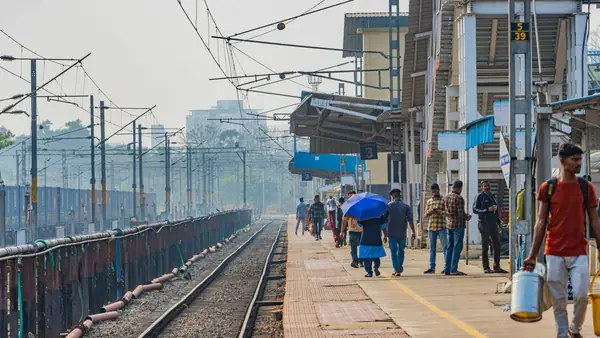
Photo: Shantum Singh / Pexels


You do not need to install anything to see where a train actually is. A search box and a browser are enough, and skipping the app also skips the storage space, permissions and notification spam that come with it.
Checking a train's live position from just a browser
Open the site, type the train number or name into the search box, and the live running status loads directly: current position, how many minutes late or early it is, and its expected arrival at the next few stations. There is no separate "install to continue" step and no paywall behind the core status. This works the same way on a budget phone's browser as it does on a laptop, which matters if you are checking from a slow connection at a platform.
Do you need to log in or give your PNR to see where a train is
No. Live running status is about the train, not your specific booking, so it does not need your PNR, name or any personal detail to work. That is different from a PNR status check, which some other tools bundle in as the main feature; this site does not offer PNR or ticket booking at all, only live running status, station boards and a trip planner. If a site or app is asking for your PNR just to show you where a train is right now, that is an extra step it does not actually need.

Seeing a train's position on a map, not just a list
A station-by-station list tells you the schedule, but a map view answers the question people actually have: is the train close, or is it still an hour out. Train pages show both, a map with the train's current position along the route and a list of upcoming stations with expected times, so you can glance at whichever format answers your question faster. The map is especially useful on long routes where a station name alone does not tell you much about distance.
Bookmarking a train to check again without searching
Once you are on a specific train's page, bookmarking that page in your browser (or saving it to your home screen on a phone, which works like a lightweight app icon without an actual install) takes you straight back to the same train next time, no repeat search needed. Train pages also offer arrival push alerts, so you can get notified as a specific train nears a station you care about, without needing a full app for it.
Why skip the app at all
An app makes sense if you want background push notifications on every delay, all the time, and are happy to give it storage space and permissions for that. For the more common case, checking a train once before you leave for the station, or glancing at an ETA while you're already travelling, a browser bookmark does the same job with nothing installed, nothing to update, and no background battery use between checks.

It also means the tool works the moment you need it on a device that is not your own, a shared computer, a friend's phone, or a cyber cafe near a station, since there is nothing to install first.
Using it well
- Search early: check status before you leave home, not just once you're at the platform, so you know if it is worth rushing.
- Recheck close to departure: delays can grow or shrink in the final hour, so a status checked the night before is a guide, not a guarantee.
- Use the station board if you're waiting to receive someone, since it shows every train due at that platform, not just the one you searched.
- Switch to the trip planner if your train is badly delayed and you want to see faster alternatives or a connecting route.
Start with live running status for any train by number or name, check a specific station's arrivals on its station board, or use the trip planner if you need alternatives rather than just a status check.
What "live" actually means here
Running status is built from the same data railway control offices use to track trains between stations: each time a train passes a block section or crosses a station, that crossing updates the record. That is why the status you see reflects real movement, not a scheduled guess, but it also explains why a position sits unchanged for a stretch between two far-apart stations rather than crawling forward second by second. Delay figures are computed against the published timetable at each point the train is recorded, which is also why the "how late" number can shift, sometimes down as well as up, as a train makes up time on an open stretch of track.
None of this needs an app wrapper to work correctly. The underlying data feed is the same whether you view it through a browser tab or an installed app; the app just adds its own login, storage and notification layer on top of the same information.
Use it on your trip
Frequently asked questions
Can I check a train's live position from just a browser?
Yes. Search the train by number or name and the live status loads directly in the browser, on phone or desktop, with no app install needed.
Do I need to log in or give my PNR to see where a train is?
No. Live running status is about the train itself, not a specific booking, so no login or PNR is required. This site does not offer PNR status or ticket booking at all.
Is there a way to see a train's position on a map, not just a station list?
Yes, train pages show both a map with the current position and a list of upcoming stations with expected times.
Can I bookmark a train to check again later without searching?
Yes, bookmark the specific train's page in your browser or save it to your phone's home screen. Train pages also offer arrival push alerts for a station you care about.
Sources
Rules and fares change. Check the official source before you travel. Last reviewed 26 September 2026.