How to Check If Your Train Is Cancelled Before You Leave
A practical check for whether your train is running on your travel date: live status, station boards, run days, 139 press 2 and the official notices to read.
 TrainLiveStatus Desk · Updated · 4 min read
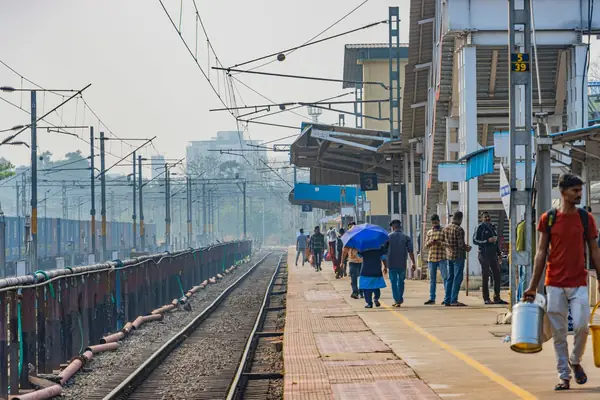
Before you leave for the station, you can confirm whether your train is running on your date in about five minutes. Search the train by number on the live status page, check the station board for your boarding station, and call 139 and press 2 if you still need an answer. Our site shows running status and delay history only. It does not show PNR or ticket status.
Start with the live status for your travel date
Search the train by its number, which is safer than the name because many names are shared. Our train pages show the current position, the delay and the stations still ahead. Look at the page for the day you travel, not the one you last checked. A status from yesterday says nothing about tomorrow's run. If the train is late, read the delay as a guide to your own arrival time at your station, which is more useful than the figure at the terminus.
Check the station board for your boarding station
A station board lists the trains due to pass through a station, so it helps you see whether your train is on the way. Try New Delhi (NDLS) as an example of how a board is laid out. If your train should be due in the next few hours and it is missing from the board for your date, treat that as a reason to check further rather than as proof either way.
The reverse is also true. A train can be on time at one station and late further along. Read the status for your own boarding station, not just the terminus.
Use 139 when you need a clear answer
Call 139 from any phone. Press 2 for enquiries such as running status and fares, and press * at any time to reach an agent. Check your operator's rates before you call. Ask the agent three things: is the train running on your date, is it cancelled or rescheduled, and from which station does it now start. Write down the reference if they give one.
Look for the official notice
Railways publish larger cancellations and diversions in official press releases and on the Indian Railways website, indianrailways.gov.in. A notice for a whole route, a festival rush or a weather event is often there before the day. Check it when the train is one of many on a route, because a single train's status may lag behind a route-wide decision.
| Check | What it tells you | Where |
|---|---|---|
| Live status for your travel date | Current position and delay | Live running status |
| Station board | Which trains are due at your station | Station pages |
| Run days | Whether the train runs on your date | Train page |
| 139, press 2 | An agent's answer on running status | Phone |
| Official notice | Route-wide cancellations and diversions | Railway press releases |
Check the run days and the origin date
Run days show the days a train leaves its origin station, not the days it passes your station. A train that starts a day earlier may pass your boarding point on a different date from the one printed on your ticket. Check the run days on the train page and confirm the date your ticket shows. That can make a train look missing when it is simply running on another date.
If the train is cancelled and you have a ticket
Do not assume the ticket is useless. Read the rules for cancelled and problem journeys in TDR explained before you ask for a refund, and keep the cancellation notice or the 139 reference. Then look at alternatives. The trip planner shows other trains on the route and two-train connections, along with seat availability where it is shown. For a worked example of how cancellation lists are built and read, see the 31 October to 6 November cancellation list.
Mistakes that catch travellers out
- Using the wrong train. Two trains can share a name and differ by direction. Always match the number on your ticket.
- Trusting an old status. Check on the morning you travel, and again close to departure.
- Checking only the terminus. A delay at your boarding station is what matters for you.
- Relying on one source. If the live page and the 139 agent disagree, ask the agent for the reason and the time they are using.
Learn the basics once
Save the 139 number, bookmark your train's page and note the run days. Those three steps cover most surprises on the day. For a fuller look at what each 139 option does, read the 139 helpline guide, and for checking a running train without installing anything, read how to track a running train without an app.
Pick your situation
Rail helpline 139, IRCTC 14646, emergency 112. Rail Madad: railmadad.indianrailways.gov.in.
Use it on your trip
Frequently asked questions
How do I check if my train is cancelled before I leave?
Search the train by number on the live status page for your travel date, check the station board for your boarding station, and call 139 and press 2 if you still need an answer. Our site shows running status and delay history, not PNR or ticket status.
Is searching by train name enough?
Use the number. Many names are shared by more than one train, and the two can run in opposite directions or on different days. The number on your ticket is the safest key.
Does a train's run day mean the day it passes my station?
No. Run days show the days a train leaves its origin station. A train that starts a day earlier may pass your boarding point on a different date, so check the run days and confirm the date printed on your ticket.
Does calling 139 cost extra?
Check your operator's call charges for 139. The helpline is open round the clock. Press 2 for running status and enquiries, and press * at any time to speak to an agent.
Sources
Rules and fares change. Check the official source before you travel. Last reviewed 14 November 2026.