How to Create an IRCTC Account (Step by Step)
The current IRCTC registration process step by step: what you need, why it asks for OTP twice, why signups fail, and the one-account-per-user rule.
 TrainLiveStatus Desk · Updated · 4 min read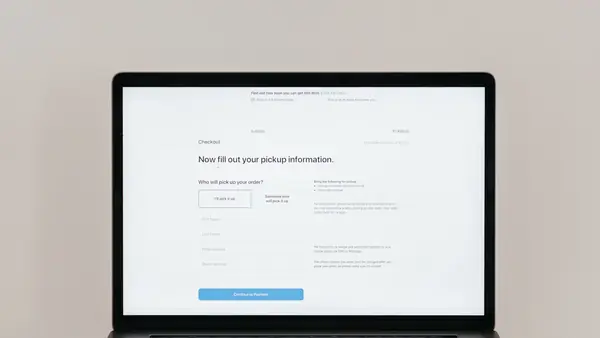
Photo: Pavel Danilyuk / Pexels


You need an IRCTC account to book a train ticket online in India, and the signup form has changed enough times over the years that a lot of old guides no longer match what you'll actually see. Here's the current process and the parts that trip people up.
What you need before you start
- A working mobile number you can receive an OTP on immediately, this gets verified during signup.
- A working email address, verified separately from your phone number.
- Basic identity details: name, date of birth and gender, matching what you'd put on a ticket.
- No document upload is required just to register. You will, however, need to Aadhaar-authenticate the account (an OTP to your Aadhaar-linked mobile) before you can book Tatkal, or book reserved tickets online on the opening day of the 60-day booking window (limited to Aadhaar-authenticated users since January 2026), so it's worth doing soon after signing up.
The signup steps
- Go to the official IRCTC website or app and choose to register a new user. Only use the official domain, irctc.co.in, or the official app listing, never a link from an SMS or social post claiming to be IRCTC.
- Choose a username. IRCTC has specific rules on length and allowed characters, and common or very short usernames are often already taken, have a backup option ready.
- Set a password meeting IRCTC's complexity requirements, generally a mix of upper and lower case, a number and a special character.
- Enter your personal details: name, date of birth, gender, and your preferred booking preferences like berth choice, which you can change later.
- Enter your mobile number and email, then verify each with the OTP sent to it.
- Complete the final verification and log in with your new username and password.

Why IRCTC asks for OTP twice
Your mobile number and your email address are verified separately, each with its own OTP, because IRCTC treats them as two independent contact channels it needs confirmed working, not because of a form glitch. This matters later too: booking confirmations, PNR updates and Tatkal alerts typically go to whichever channel you've kept verified and active, so it's worth using a number and email you check regularly rather than a rarely used backup. Once you have booked, our live running status pages are where you track the actual train, IRCTC itself only shows your booking, not where the train is right now.
Can I have more than one IRCTC account
No. IRCTC's terms allow one personal account per user, tied to your identity details, and creating multiple accounts to work around booking limits or Tatkal restrictions is against the platform's rules and can result in accounts being blocked. If you're booking for family regularly, add them as co-passengers on your own account rather than creating separate logins for each person.
- Username already taken: IRCTC has millions of users, a common name is very likely unavailable, try a less generic variation.
- Mobile number already linked to another account: each number can generally be tied to one account; if you've registered before and forgotten, use the "forgot username" or "forgot password" recovery flow instead of trying to register again.
- OTP not received: usually a network delay or a typo in the number or email, double-check both before resending.
- Weak password rejected: follow the exact complexity rule shown on the form, IRCTC's requirements are stricter than many other sites.
- Session timeout: the registration form can time out if left idle for too long between steps, restart if this happens rather than trying to resume a stalled session.

After you're registered
Add your frequently used passenger details (name, age, gender, berth preference) to your profile once, so you don't have to retype them on every booking, this is a genuine time-saver during Tatkal booking when speed matters. Keep your login details memorable but secure, and update your mobile number and email promptly if either changes, since a booking confirmation going to an old number or inbox is a common and avoidable source of missed information.
A note on third-party booking apps
Several travel apps let you book IRCTC tickets through their own interface, but they still ultimately create or use an IRCTC account behind the scenes, since IRCTC runs the ticketing system for Indian Railways reserved e-tickets (the railways' own RailOne app also signs you in with your IRCTC user ID). If you use one of these apps, it is worth knowing your actual IRCTC username too, since refunds, TDR filing and some support queries are easier to resolve directly on IRCTC's own site or app rather than through a third-party layer.
What this site doesn't do
To be clear about scope: we don't handle ticket booking, IRCTC account registration, or PNR status here. What we do offer is live running status and delay history for any train once you've booked it through IRCTC, station live boards, and a trip planner that shows seat availability and confirmation chances to help you decide what to book before you go to IRCTC to actually buy the ticket. Once you have a PNR and travel date fixed, our guide on reading live running status is worth a look before your first journey.
Use it on your trip
Frequently asked questions
What documents do I need to register on IRCTC?
None for registration itself. You need a working mobile number and email for OTP verification and basic personal details. ID proof is needed for travel, not for creating the account, though you'll need to Aadhaar-authenticate the account later to book Tatkal tickets or to book online on the opening day of the booking window.
Why does IRCTC ask for OTP twice during signup?
Your mobile number and email are verified independently as two separate contact channels, since both are used later for booking confirmations and alerts.
Can I have more than one IRCTC account?
No, only one personal account per user is allowed under IRCTC's terms. Add family members as co-passengers on your account rather than creating separate logins.
Why does my IRCTC registration keep failing?
Common causes are a username that's already taken, a mobile number already linked to an existing account, an OTP delay, or a password that doesn't meet the site's complexity requirements. Check each of these before retrying.
Sources
Rules and fares change. Check the official source before you travel. Last reviewed 29 September 2026.