Why Two Apps Show Different Delay for the Same Train
Why one app says a train is 20 minutes late and another says it's on time: refresh intervals, predicted vs reported position, and which number to trust.
 TrainLiveStatus Desk · Updated · 5 min read

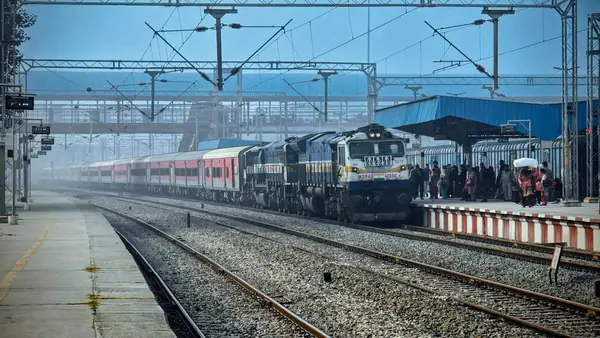
Photo: Image Hunter / Pexels
Open two running status apps for the same train and you'll sometimes see two different delay figures: one says 12 minutes late, another says on time. Neither app is necessarily wrong. They're built on the same underlying railway data but process it differently, and the gap usually comes down to timing and how each app fills in the blanks between stations.
Where the data actually comes from
A train's position is recorded when it arrives at or departs a station, using signalling and control office records that feed into the National Train Enquiry System. Every running-status app, ours included, ultimately draws from this same chain. What differs is how each app fetches it, how often it refreshes, and what it shows you while the train is between two stations with no fresh report yet.
Reported position vs predicted delay
This is the biggest source of disagreement. When a train has just left a station, its delay figure is a hard number: it left at a known time versus its scheduled time. But once it's running between two stations, some apps hold that last confirmed delay steady, while others run a prediction that adjusts the figure based on typical speed for that stretch, distance covered, or historical pattern for that train.
So if App A shows 20 minutes late because it's holding the last reported figure, and App B shows on time because its prediction model expects the train to make up time on a fast stretch, both are technically defensible. They're just answering slightly different questions.

Where is your train right now?
Live position, expected arrival at every stop and the delay history of the last few weeks.
Refresh intervals matter more than people expect
Some apps poll for updates every couple of minutes, others less often to save server load or battery. If you check two apps within seconds of each other but one refreshed its data 90 seconds ago and the other 6 minutes ago, you can see different numbers even off the exact same source feed, especially right after the train crosses a station.
What our pages show
On TrainLiveStatus, a train's page shows the delay at its last reported station clearly, along with the time that report came in. Any expected arrival at a station further ahead is a forecast, not a live GPS ping, so treat it as an estimate until the train reports in there. The train's delay history on the same page shows how it usually runs on that stretch.
If you want to understand the mechanics behind a delay number more generally, including how recovery time is built into a schedule, the why trains run late guide covers that. For reading the layout of a status page itself, see how to read live train running status.
A quick way to judge which number to trust
- Check the last-updated timestamp first. A number from 2 minutes ago beats a number from 15 minutes ago, regardless of which app it's on.
- Prefer a status just after a station halt over one in the middle of a long open stretch. It's a measurement, not a guess.
- If two apps disagree by more than 15-20 minutes and both claim to be recent, lean toward the one that shows the specific station the report came from, since you can sanity-check it against the timetable yourself.
- Don't chain predictions. If an app tells you an ETA for a station three stops away, that number carries more uncertainty than the delay at the train's last confirmed stop.
Why this matters for planning
The gap between apps is usually small, a few minutes, and rarely changes what you should actually do. But if you're timing a pickup, a connection, or when to leave for the station, it's worth reading the freshest, most specific figure rather than averaging two apps that updated at different moments. A train's delay history on its page, showing how late it usually runs on that route, is a steadier signal than any single live snapshot, and the trip planner helps you find alternatives if the timing is too tight.

When the disagreement is bigger than a few minutes
Occasionally you'll see a genuinely large gap, one app showing a train an hour late and another showing it on time. This usually means one app hasn't refreshed in a while and is showing stale cached data from before a delay was reported, or there was a brief gap in the control office feed itself during a signalling issue. In that case, the most recent timestamp almost always wins. If you're at the station and unsure, the platform announcement system and station enquiry counter reflect the same live feed and are a fair tie-breaker.
A worked example
Say a train departed its last major station 45 minutes late. Twenty minutes later, App A still shows 45 minutes late because it hasn't refreshed, while App B shows 38 minutes late because its model assumes the train picked up some time on a fast, straight section of track. Ten minutes after that, the train reports in at the next station 40 minutes late. Both apps were reasonable estimates; neither was the final truth until that next station report landed. This is normal, not a bug in either app.
Mobile network gaps make it worse
On routes through hilly terrain, dense forest or remote stretches, phone signal for both the train's reporting systems and your own device can be patchy. An app might be showing you a delay figure from the last point it had a good connection to its servers, which is a different problem from a slow refresh interval but produces the same symptom: a number that looks stale. If a figure hasn't changed in a long time despite the train clearly being in motion, that's usually the tell.
What to pack
Use it on your trip
Frequently asked questions
Why does one app say 20 minutes late and another says on time?
They likely refreshed at different times, or one is showing the last reported delay while the other is predicting the delay for the train's current position between stations. Both can be right for the moment they last updated.
Which source is closest to what the TTE or station announces?
Station announcements and the TTE's own information usually reflect the same live NTES feed apps draw from, so a recently updated app reading is normally close. Right after a station halt is the most reliable moment to check.
Do apps use the same underlying data or their own predictions?
The base position data comes from the same railway signalling and control chain for every app. Where they differ is in refresh frequency and whether they show a raw last-reported delay or a model-based prediction for the stretch ahead.
Should I trust the last-updated timestamp over the delay number?
Yes, check the timestamp first. A slightly higher delay number from a minute ago is more useful than a lower number that's 15 minutes stale, since the train's actual position has likely moved on since then.
Sources
Rules and fares change. Check the official source before you travel. Last reviewed 2 October 2026.